
JCode vs Happy Coder
Happy Coder is a mobile and web client for Claude Code and Codex. It wraps the agent CLI on your laptop and syncs sessions to phone and browser over an end-to-end encrypted relay. Open source under MIT.
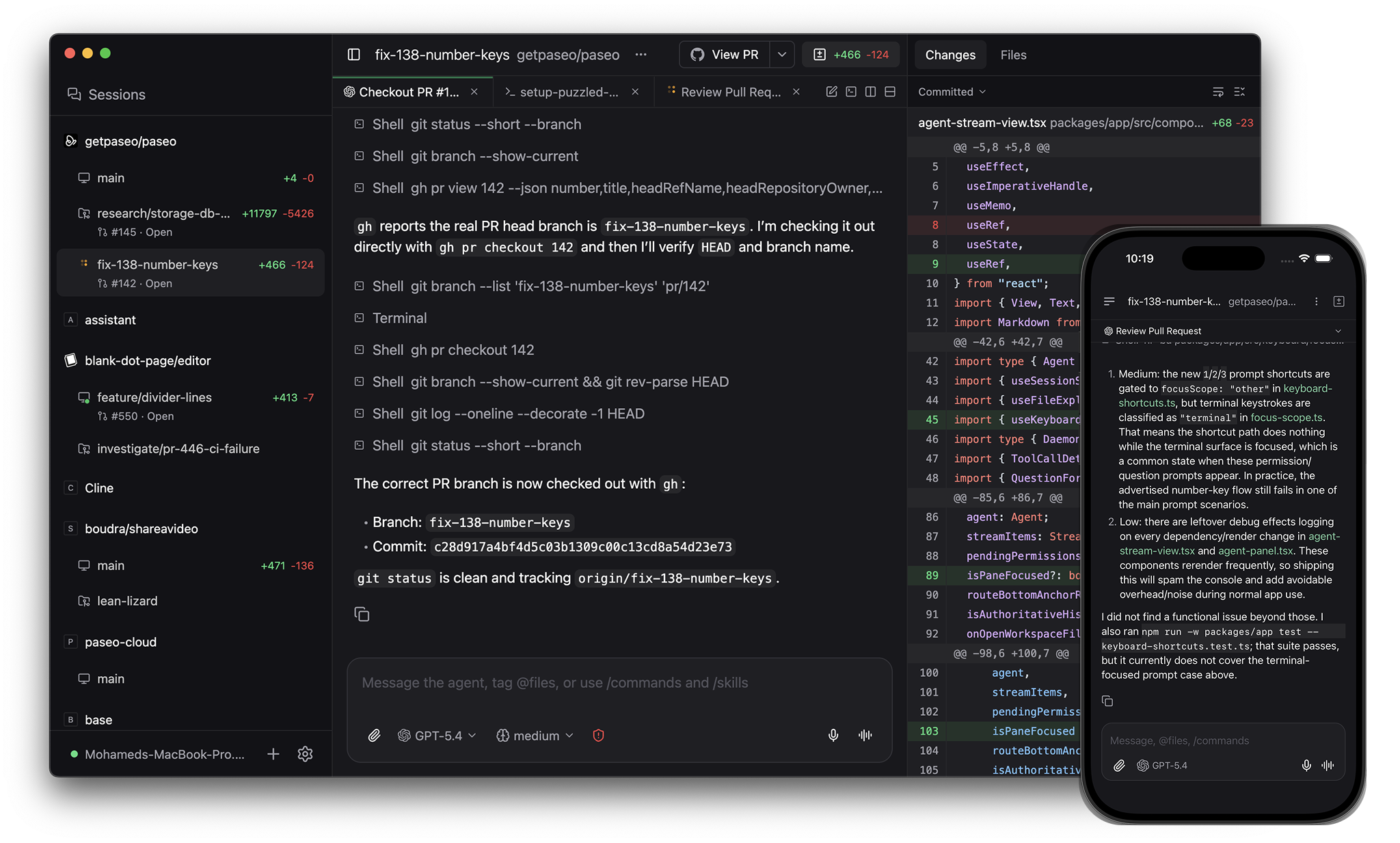
JCode is an app for orchestrating coding agents, with native clients on desktop, mobile, web, and the CLI. Open source (AGPL-3.0).
When to pick what
Pick Happy Coder if you want the most minimal setup. Wrap an existing Claude Code or Codex session on your laptop and check in on it from your phone.
Pick JCode if you want:
- A native desktop app on macOS, Linux, and Windows
- Git worktrees for parallel agents
- Per-worktree dev server URLs
- GitHub PRs, checks, reviews, and merges in the app
- Many more agents than Claude Code and Codex
- A CLI to script agent work and drive remote daemons
Architecture
JCode runs the agent inside its own daemon. The daemon owns the agent lifecycle, the worktree, and the dev servers. Clients connect over a websocket and drive the daemon.
Happy Coder runs the agent inside its existing CLI on your laptop and syncs the session to its mobile and web clients through an end-to-end encrypted relay.
Panes
JCode's app has split panes and tabs (⌘D for vertical, ⌘⇧D for horizontal). Panes include a terminal alongside your agents, a diff viewer, and a browser for testing running services.
Happy Coder does not have a desktop app.
GitHub
JCode's app handles commit, push, opening PRs, watching checks and reviews, and merging.
Mobile
Both tools ship native iOS and Android apps.
Providers
JCode runs Claude Code, Codex, OpenCode, and Pi natively, plus 30+ more agents through the in-app catalog including GitHub Copilot, Cursor, Gemini CLI, and Amp. JCode speaks the Agent Client Protocol, so any ACP agent works. Custom providers run any CLI agent. See Supported providers.
Happy Coder runs Claude Code and Codex.
Worktrees and services
JCode runs each agent in its own git worktree. Each worktree gets its own dev server URL like web.fix-auth.my-app.localhost, so parallel agents don't fight for the same port.
Happy Coder runs the agent in the directory you launched the CLI from.
CLI
JCode has a CLI that mirrors the app:
jcode run --provider codex "implement OAuth"
jcode run --host devbox:6767 "run the test suite"
jcode ls
jcode send <agent-id> "add tests"
jcode schedule create --cron "0 9 * * 1" "audit the codebase"
jcode run --host connects to a remote daemon. jcode schedule runs an agent on a cron. jcode loop retries an agent until a verification command passes.
Happy Coder has a CLI to launch the wrapped session. It does not have schedules or loops.
Voice
JCode's speech-to-text and text-to-speech run locally on your device. Nothing leaves your network.
Comparison
| JCode | Happy Coder | |
|---|---|---|
| License | Open source (AGPL-3.0) | Open source (MIT) |
| Desktop app | macOS, Linux, Windows | — |
| Native mobile | iOS, Android | iOS, Android |
| Architecture | Daemon owns agent lifecycle | Wraps the agent CLI |
| Providers | Claude Code, Codex, OpenCode, Pi + 30+ via ACP catalog + custom | Claude Code, Codex |
| Split panes and tabs | Yes | — |
| In-app terminal | Yes | — |
| In-app browser | Yes | — |
| GitHub workflow in app | Commit, push, PR, checks, reviews, merge | — |
| Git worktrees | Yes | — |
| Per-worktree dev server URLs | Yes | — |
| CLI | Run, --host, ls, send, schedule, loop | Launch wrapped session |
| Local voice (on-device) | Yes | — |
See also: JCode vs Conductor, JCode vs Superset, JCode vs OpenChamber.